
You click a link, wait, and eventually leave. Your visitors do the same thing on your site.
A slow loading website never shows an error, so the problem stays hidden while slow website losing customers becomes a pattern.
If you are asking why my website is so slow, the answer and the fixes are right below.
Short Answer: Why Is My Website So Slow?
Most slow websites come down to five causes: oversized images, weak hosting, too many plugins and scripts, missing caching, and pages that were never tested on a phone.
Test your speed, fix the biggest issue first, then test again. Website loading speed problems usually have one main cause, so you rarely need to fix everything at once.
How to Check How Slow Your Website Is
If your website takes too long to load, run it through a free speed testing tool before changing anything. Google PageSpeed Insights, GTmetrix, and WebPageTest all work well.
Write down three things:
- Your total load time
- The largest files on the page
- Your mobile result compared with desktop
You will compare these numbers after each fix.
How to Fix a Slow Website, Step by Step
Fixing a slow website is almost always possible. How to make my website load faster usually comes down to the five steps below, so work through them in order.
Step 1: Compress and Resize Your Images
Large images are a frequent reason why my website takes forever to load. Photos uploaded straight from a camera can be far larger than the space they fill.
Resize each image to the size it is displayed, then compress it.
Step 2: Check Your Hosting
If the site is still slow with small images, the hosting may be the limit. Outdated or overloaded hosting struggles when more visitors arrive than it was built for.
Our Web Development Services page walks through how we approach performance and hosting.
Step 3: Remove Unused Plugins and Scripts
Every plugin, tracking script, and extra feature loads on the page and competes for the same few seconds a visitor will give you.
If you are wondering why my site is slow to load after months of adding features, this is often the reason. Delete what you do not use.
Step 4: Turn On Caching
Caching stores a ready made copy of your pages so repeat visitors do not wait for them to rebuild every time.
Most website platforms offer a caching setting or a plugin for it.
Step 5: Test on a Phone
A site that feels fine on a desktop can feel very different on a phone. A slow website on phone screens and slower mobile connections is how many visitors first meet your business.
A slow website on mobile phones is one of the most common gaps between how an owner sees the site and how customers do. Check it on a real phone, then run your speed test again and compare.
Our Web Design Services page covers keeping a site fast without losing the details that make it feel like your business.
What a Slow Website Actually Costs You
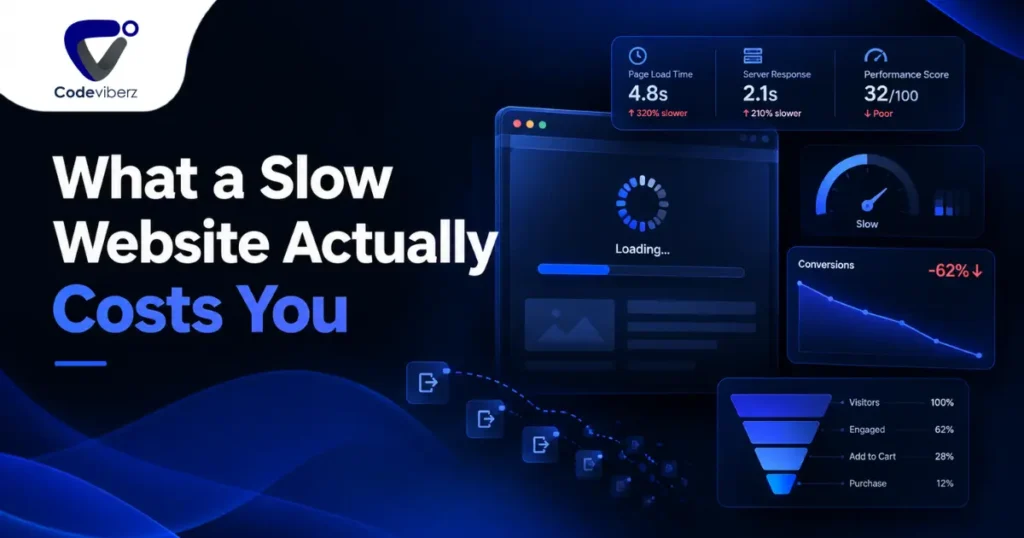
Slow website losing sales is simply how people behave online. Customers leaving because of a slow website rarely tell you why. They just do not come back.
Impatient website visitors leave without a second thought. Website speed and lost sales add up, because every visitor who leaves before the page loads never sees what you offer.
Website loading time and customer trust are linked too. A slow site can suggest a business is less put together than it really is.
Why speed matters for small business websites is not only technical. It is part of the same first impression as a clean storefront or a friendly phone call.
One example is our work with Blue Sea Plumbing & Heating, where a fast, mobile friendly site was central to the redesign.
How Website Speed Affects More Than Just Sales
How website speed affects business goes beyond one lost sale. Website speed and google ranking are connected, since search engines consider how quickly a page loads when deciding what to show first.
According to Google’s own guidance on page experience, page speed is one of the factors that can influence how a site performs in search results.
The first impression of a slow website is often the only impression, because visitors leave before they see anything else. A website too slow for customers shapes how the whole business is seen, not just the site.
Want Someone to Check Your Site’s Speed?
If you would like a second opinion on how your own site is performing, our Contact Us page is the easiest place to start.
We can run the tests and point out the quickest wins.
Our About Us page has more on how we approach projects like this.
Frequently Asked Questions
How fast should a website load?
Most visitors expect a page to load within a couple of seconds. The longer it takes beyond that, the more people leave before ever seeing the page.
Why is my website loading slowly?
It’s usually a combination of factors: large unoptimized images, outdated or overloaded hosting, or too many scripts and features running on the same page at once.
Does website speed affect sales?
Yes. Slower websites tend to see more visitors leave before completing a purchase, booking, or inquiry, simply because people aren’t willing to wait.
How do I check how slow my website is?
Free online speed testing tools can show how long your website takes to load and highlight what might be slowing it down.
Does a slow website hurt my Google ranking?
Yes, to some degree. Search engines consider page speed as part of how they evaluate the overall experience a website offers visitors.
How long will customers wait for a website to load?
Most people won’t wait more than a few seconds before giving up and moving on to another website.
What causes a website to load slowly?
Common causes include oversized images, slow or outdated hosting, unnecessary plugins or scripts, and a website that was never properly optimized after it was built.